In-Page Navigation
The In-Page Navigation component automatically generates a navigation menu from H2 headings on a page, allowing users to quickly navigate to different sections of content.
Jira Ticket
DEX-455 Generate the in-page navigation from H2s
Supported Page Types
Content authors can enable In-Page Navigation on the following page types:
- Content Page
- Content Page with Side Navigation
How to Enable In-Page Navigation in Sitecore
- Log in to Sitecore as an Author, Approver, or Administrator.
- Open Content Editor and select the page where you want to enable In-Page Navigation.
- Navigate to the Navigation section.
- Select the Show InPage Navigation checkbox.
- Save and publish the page.
Result
The In-Page Navigation menu will be automatically generated from the H2 headings available on the page and displayed at the top of the content. Please refer to the screenshot and the live example at the beginning of this page for the expected result.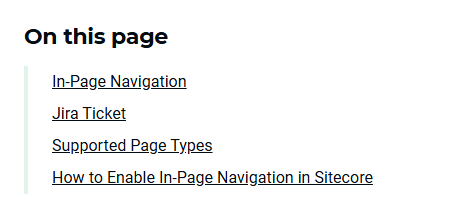
In-Page Navigation on the page