Tags
The Tags component displays short, non-interactive labels used to categorise content and highlight metadata. It supports Topic Tags, Stage Tags, and Custom Tags, and is primarily used within the Information Bar component.
Jira Ticket
How to Configure Tags in Sitecore
- Log in to Sitecore as an Author, Approver, or Administrator.
- Open Content Editor and navigate to the page or component datasource.
- Locate the Tags section within the Information Bar. Custom tags can also be configured on Tile items. When custom tags are enabled on a Tile, they override the tags inherited from the linked page.
- Select or configure the required tag type and values.
- Select the Show Tags checkbox.
- Save and publish the page.
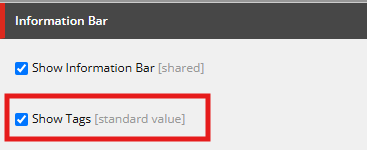
Tags field settings
Result
The configured tags will be displayed within the Information Bar and associated Tile items, helping users quickly identify content categories, stages, and other relevant information.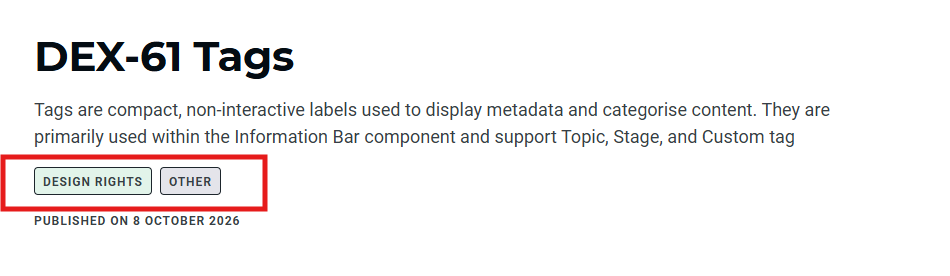
Title Area - Tags
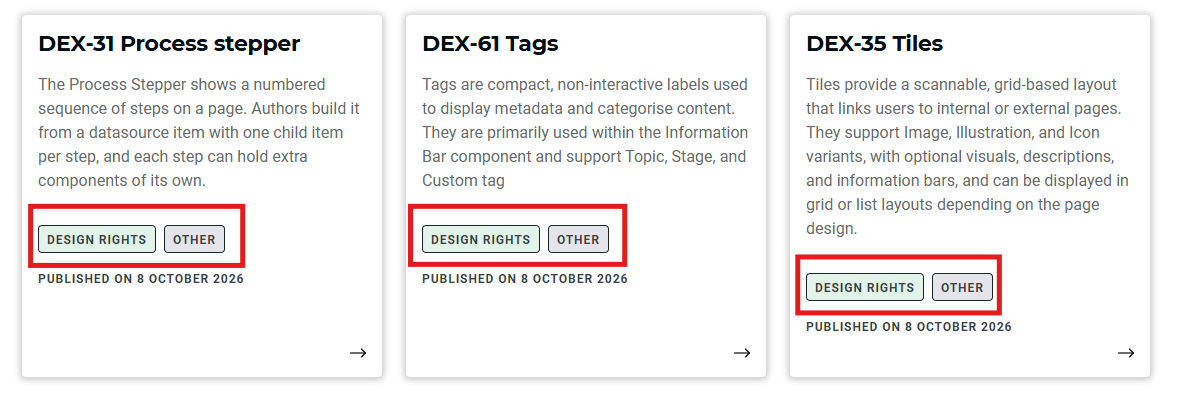
Tile tags